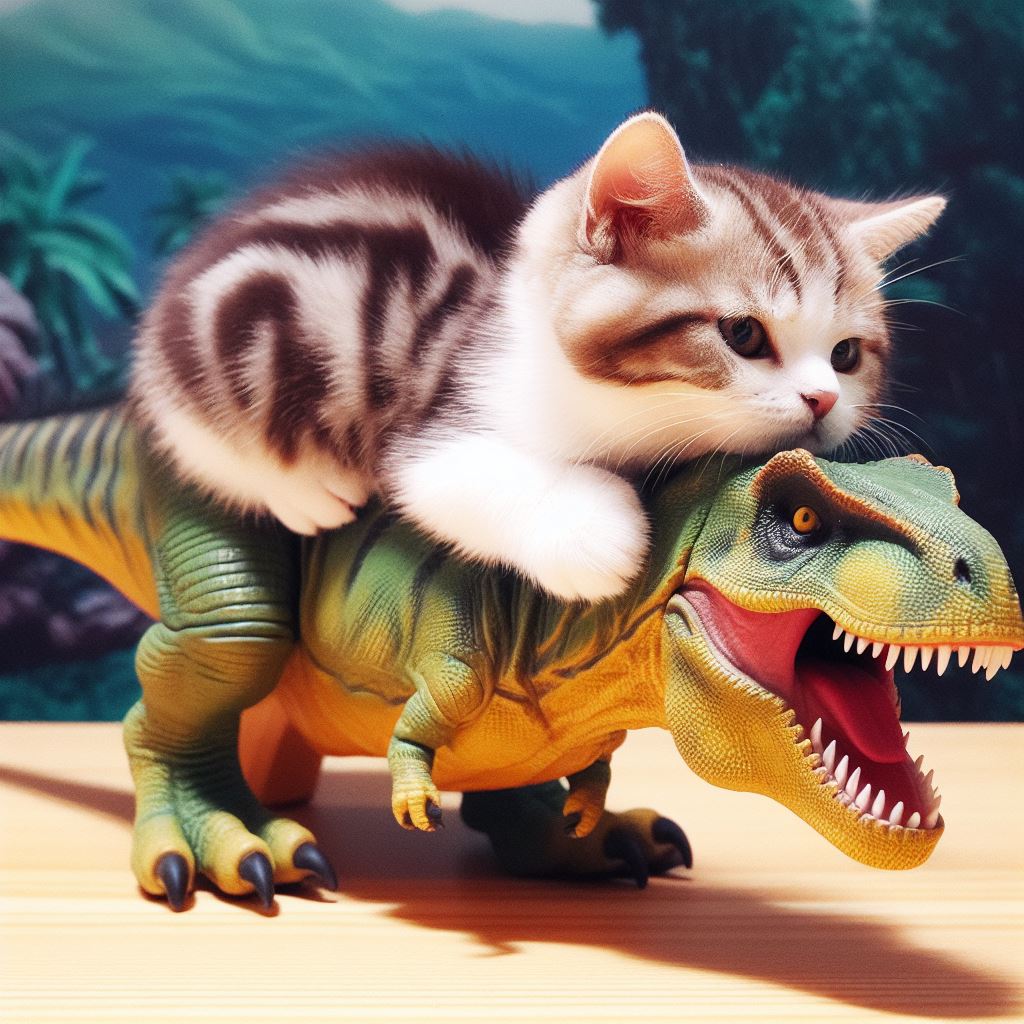
Prompt: A Tyrannosaurus Rex riding on the back of a cute kitten
Prompt: A Tyrannosaurus Rex riding on the back of a cute kitten

Have You Tried Turning It Off and On Again?
Recently, I moved my music over to an ASUSTOR NAS so as to better leverage Plex at home (music, television, movies, etc.). The movies and television worked straight off the bat (apart from having to recode television episodes in Plex’s preferred format). However, music was idiosyncratic. Some uploaded albums worked, others seemed to disappear into the ether with an “Empty Folder – There are no items in this folder” error message. The files were there on the NAS, but Plex could not find all of them.
So, here is what I tried to get things to work:
So, the tried and tested reboot was my friend here today.
Invites to test Bard and the New Bing arrived within 24 hours of each other. The Bard invite arrived first, and I must admit to being underwhelmed. Bard was boring. I had heard the rumors that Google’s secret AI was leaps and bounds ahead of OpenAI’s ChatGPT, convincing at least one engineer of sentience. However, the experience was largely dull.

What is the purpose of Bard?
As alterative to regular search, Bard does not immediately offer up a convincing reason to stick with its services. The results take a little longer to generate and do not contain URLs. When searching for places to eat in Chicago, I had to independently Google Bard’s text results. Bard suggested two excellent options that met my criteria, but then suggested options that made little sense. I can see one potential future here, and that is in Augmented Reality, where Bard is a competitor to Alexa – vocalizing responses to my spoken requests. But this is only going to have value if Bard can demonstrate accuracy and link to actual resources on the internet.

Welcome To The New Bing
New Bing is something else. It took a few clicks to access the new Bing (started up in Safari, did not like being in the Microsoft Edge Dev, but worked like a dream in the regular Edge) and it felt like I was in Las Vegas, which is both good and bad.

Conversational Style
I was impressed that the new Bing (NuBing?) suggested a choice of conversational style: Creative, Balanced, or Precise. Somewhat ironically, I found myself Googling how to try the new features.

Kitten and Dinosaur
AI image generation (Image Creator) is baked into chat and initially works surprisingly fast and well. I was unable to get a widescreen image even though Bing told me it could change the aspect ratio of the results, and my request for a “dinosaur riding a kitten” was churned out as a kitten riding a dinosaur. But it did it fast. On a day where ChatGPT was up and down (and lacking historical chats) this was particularly impressive. Subtly, Bing was counting up to a limit of 15 with each image request. With only a few credits left, I asked for an image of a kitten dressed as Judge Dredd. Bing Binged itself with a search of Wikipedia and spat out some acceptable results.

Judge Kitten
I have no idea if these search results are being piped into the image prompt, but I like to think they are.
So, I will definitely be using the New Bing. Bard, not so much.

For kicks, here are some of the images that Bing was able to create.

A steampunk armadillo

Kitten and Dinosaur 1

Kitten and Dinosaur 2

Kitten and Dinosaur 3

An image of James Moore (who works at DePaul University) riding on the back of a kitten
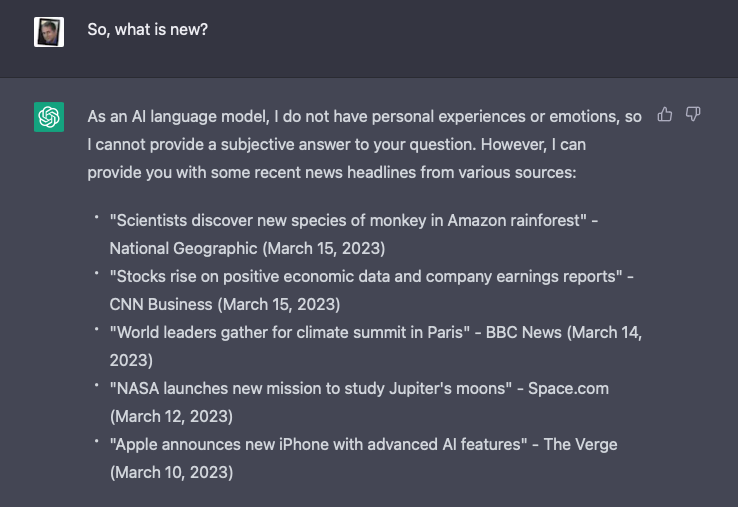
ChatGPT. Wednesday 15th March, 2023
Like many others, I have been exploring the new and improved ChatGPT. This response was unexpected. To check that the LLM was not hallucinating, I ran a couple of quick Google queries:
Scientists discover new species of monkey in Amazon rainforest” – National Geographic (March 15, 2023
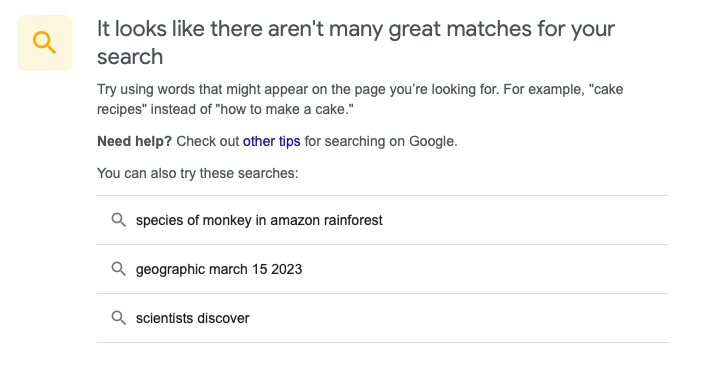
Nope: “It looks like there aren’t many great matches for your search”
“Stocks rise on positive economic data and company earnings reports” – CNN Business (March 15, 2023)

Nope: No results found for “Stocks rise on positive economic data and company earnings reports” – CNN Business (March 15, 2023).
(and it looks like stocks actually fell)
“World leaders gather for climate summit in Paris” – BBC News (March 14, 2023)

Nope: No results found for “World leaders gather for climate summit in Paris” – BBC News (March 14, 2023).
“NASA launches new mission to study Jupiter’s moons” – Space.com (March 12, 2023)
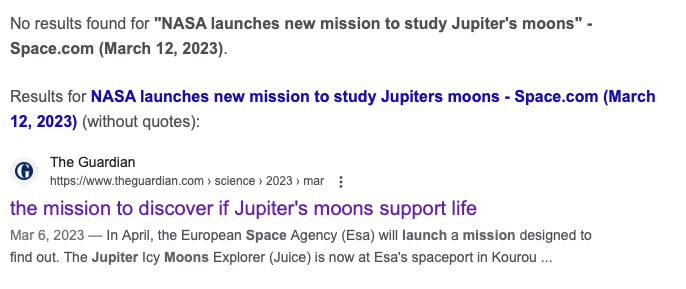
Nope: No results found for “NASA launches new mission to study Jupiter’s moons” – Space.com (March 12, 2023).
However, The Guardian reports that the “European Space Agency’s Juice probe launches next month, flying closer to icy moons – including Ganymede, the solar system’s largest – than ever before.” So this was a good guess.
“Apple announces new iPhone with advanced AI features” – The Verge (March 10, 2023)
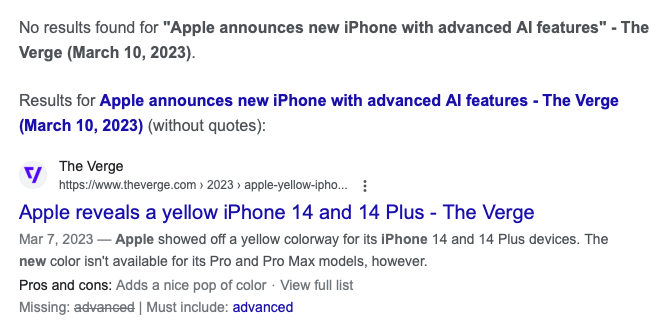
Nope: No results found for “Apple announces new iPhone with advanced AI features” – The Verge (March 10, 2023).
However, The Verge happily reports that a there is a new yellow iPhone.
I signed up and/or downloaded several AI image-generating services recently. For kicks, I have started to post poetry and descriptions from classic novels to see what the results are. I started the process using one of the most celebrated poems ever: Catullus 85:
Ōdī et amō. Quārē id faciam fortasse requīris.
Nesciŏ, sed fierī sentiō et excrucior.
There are many English translations and interpretations, so I went with Wikipedia:
I hate and I love. Why I do this, perhaps you ask.
I know not, but I feel it happening and I am tortured

It looks like this request may not follow our content policy.
So, I posted this into DALL-E. The word “torture” was flagged as not appropriate, so I went with Google’s stock translation (which was accepted):
I hate and I love. Wherefore I do this, perhaps you ask.
I do not know, but I feel it being done and I am tormented.
DALL-E generated 4 options:

Catullus 85 – 1

Catullus 85 – 2

Catullus 85 – 3

Catullus 85 – 4
Options one and two are cheerfully banal, but three and four have a slight spark. Option three is my winner. And DiffusionBee seems to follow the same tack, generating this one image from the original text (no issues, it seems, with the word torture):

Catullus 85 – DiffusionBee
Craiyon‘s output definitely felt more teenage angsty. Their AI obvious has the machine soul of a poet:
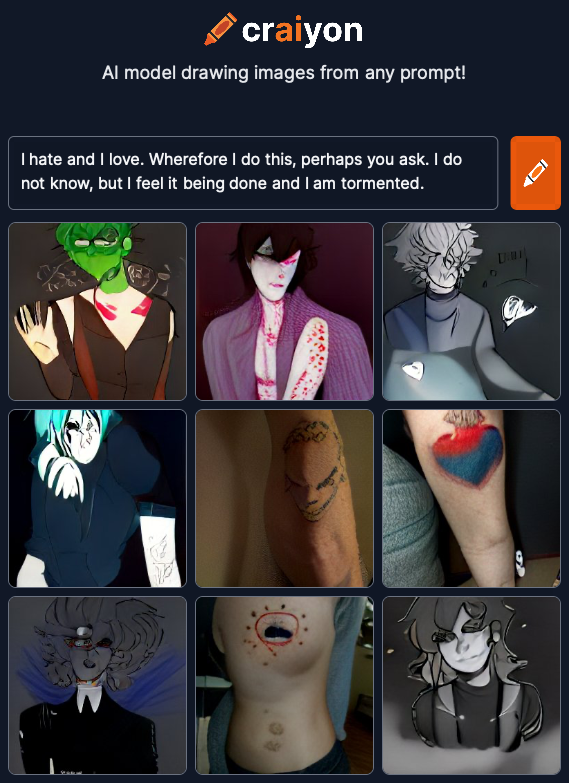
Catullus 85 – Craiyon
Will try again tomorrow with something completely different.

The Distance Teaching & Learning Conference (@UWMadison #UWdtl) is 100% online, and runs 2nd – 5th August, 2021.
Registration is just $329.00 for 75+ sessions from internationally-renowned Online and DistanceEd experts.
More information can be found at https://dtlconference.wisc.edu

Microsoft Teams is becoming an integral service at my workplace. Using this page to assemble some of the resources I am finding and using.

I was very lucky to receive an Anbernic RG280V, which is one to the most pocketable emulators I have seen. Unfortunately, the documentation is lacking, so here are some of the online resources I have found that helped me get up to speed:

Walmart has a small case that protects the RG280V. The case appears to be available at a cheaper price elsewhere.
In terms of pocketable retrogaming on the go, this device is hard to beat. The small size can be hard on large hands – the Powkiddy X18S is what I am looking forward to in 2020.
In no particular order, here are notes on things I have learnt whilst playing about with the RG280V.
.opk files reside in the /media/data/apps directory. Newer applications can added, ones that have little use can be removed. Some of these applications end up in the Applications area on the RG280V, or in the Games or Emulators areas.
Here is what I removed:
Here is what I added:
So, I now have a great collection of games that I can ply on the commute to work.
macOS has an extremely annoying feature where if you use the “Daughter” or “Son” field in the Contacts application, your iDevice will not successfully synch when using a USB cable.
Synchronization will not display an error message, but digging through the synchservices.log in Console will show that the process failed.
Using the “Child” field instead fixes the issue but working out which of your contacts uses the troublesome fields is not easily accomplished.
Here is a workaround:

A few weeks ago, I discovered that I was in need of a home teleprompter. A friend had asked me to record some talking head commentary for a course he was building. I was able to put something together by scrolling a Word document and reading off the top of the screen as I looked at the camera. The results were not great.
I now have something that works well.
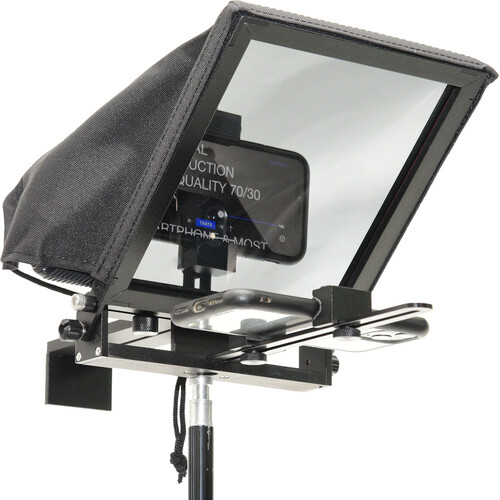
I went with the Glide Gear TMP 50 Adjustable Smartphone Mini Teleprompter. The TMP 50 is a small and lightweight teleprompter designed for smartphone use (it includes a clamp that can be used to hold an iPhone for recording). However, it works really well with a webcam (and a tripod extender rod, to raise the webcam up a few inches). The mounting hardware is designed for viewing tablets up to 6.7 inches in width, but removing one of the clamps allows me to safely use my 9.7-inch iPad Pro as the display.

Home Teleprompter Setup
My webcam of choice typically is the Mevo Start, which connects via a USB-C cable to my MacBook Air. The Mevo Start can also wirelessly stream to Zoom, Screenflow, and Microsoft Teams, but this introduces a slight lag. Logitech webcams work equally well, so I placed a C930e behind the mirror. The LED activity light on the C930e could be seen through the mirror, so I permanently turned that off in preferences. I could also use an HDMI to USB capture card to use a regular camera (like my Sony RX100 III) and connect this like a regular webcam.
Which brings me to software. My ideal use case was to be able to record commentary for Keynote and PowerPoint presentations, reading off the presenter notes. Apple’s Sidecar helpfully sends presenter notes to the iPad screen, but I needed some way to reverse the iPad display to be able to read the mirrored image on the teleprompter. The free Mirror Flip Mac Utility looked like it might do the job, and during testing switched the image for most applications. However, as soon as I stated presenting in Keynote the switched image reverted to normal.

Using Presenter Notes
Luckily, I had a Luna Display at home. The Luna Display is small hardware device that connect to either the Mini DisplayPort or USB-C port on a Mac laptop and turns an iPad into a wireless second display. The Luna Display has a teleprompter mode that reverses the image on the iPad. This works perfectly for my use case – I can present and record from Keynote, reading the presenter notes as I look directly to camera. I could also use the teleprompter for more engaging videoconference sessions, where eye contact would be improved.
Here is what you need to replicate my setup: