Category Archives: Mobile
University Club of Chicago

Or should it be "use fewer?"

Chez Aiglon

Lincoln Square SCUBA

Harrison

Homeward Bound

Burning Chromebook: Day 5
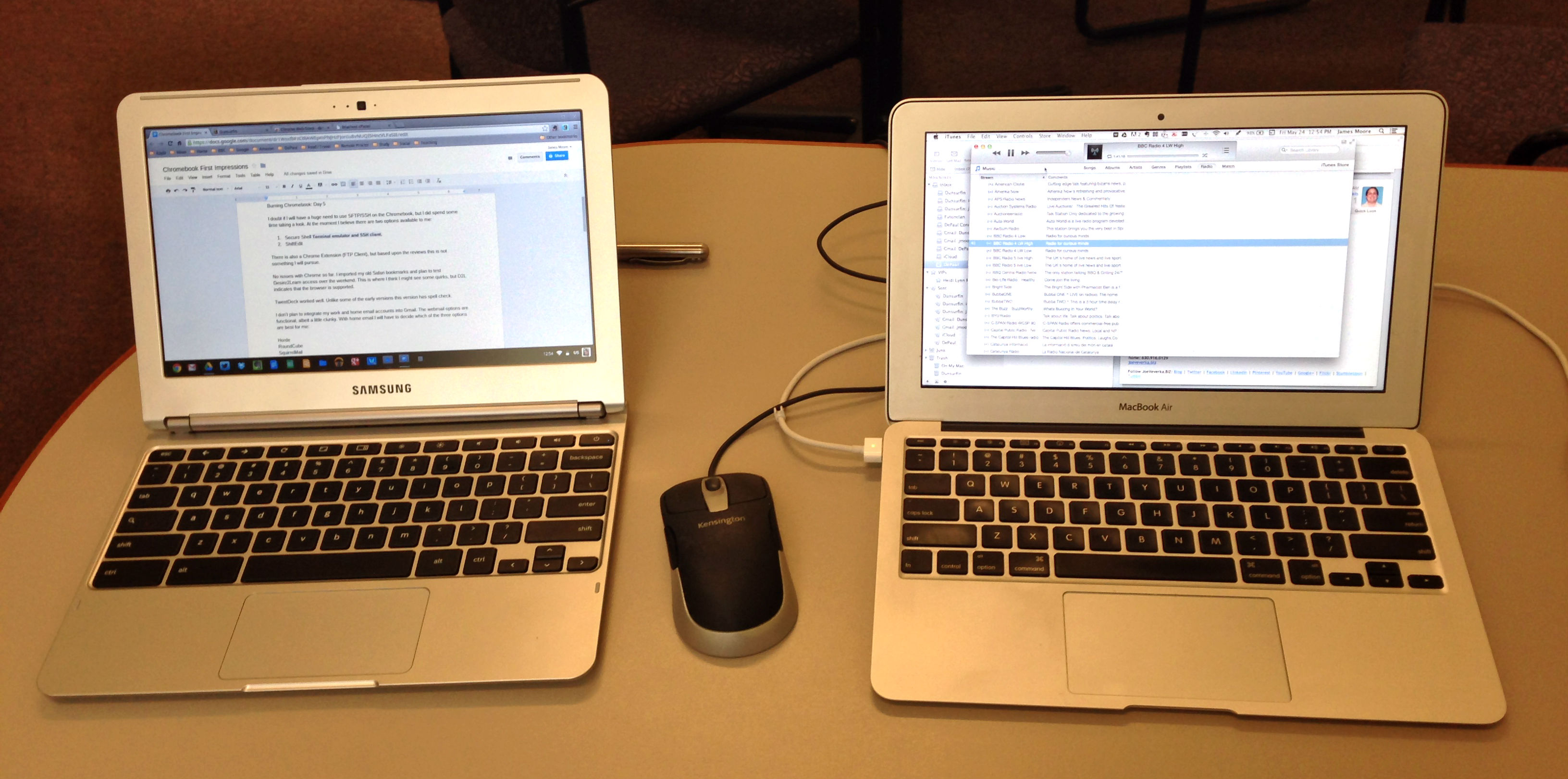
Chromebook and MacBook Air
I doubt if I will have a huge need to use SFTP/SSH on the Chromebook, but I did spend some time taking a look. At the moment I believe there are two options available to me:
There is also a Chrome Extension (FTP Client), but based upon the reviews this is not something I will pursue.
No issues with Chrome so far. I imported my old Safari bookmarks and plan to test Desire2Learn access over the weekend. This is where I think I might see some quirks, but D2L indicates that the browser is supported.
TweetDeck worked well. Unlike some of the early versions this version has spell check.
I don’t plan to integrate my work and home email accounts into Gmail. The webmail options are functional, albeit a little clunky. With home email I will have to decide which of the three options are best for me:
|
MacBook Air |
Chromebook |
Notes |
|
No issues so far. Spell check does not seem to be available offline. This might be fixed by installing an extension. |
||
|
No issues so far. |
||
|
Some formatting issues with imported files. “Present” not an option unless using native slide format. |
||
|
Files |
Considerable formatting issues with imported slides. Downloaded QuickTime mov, m4v, and mp4 files playable in Files. |
|
|
No equivalent. |
Was not expecting to find an equivalent. |
|
|
Works well. Did not see spell check as an option. |
||
|
Tested with some basic cropping and resizing. Need to test more extensively. |
||
|
No issues so far. |
||
|
No issues so far. |
||
|
No issues so far. |
||
|
|
Gmail and Webmail |
No issues with Gmail so far. Have to configure webmail. |
|
Have not tested. |
|
|
Google Play Music |
Working well. Music Manager has uploaded the majority of my library. |
|
|
Evernote Web |
No issues so far. |
|
|
Dropbox |
No issues so far. |
Kimball Hall

Burning Chromebook: Day 4
I had not expected to find an equivalent to iBooks Author, but have installed a couple of epub readers. I don’t really anticipate having a great need for these, as I will be reading ebook predominantly on the smartphone.
Epub Readers
Today I concentrated on finding a Chromebook alternative to Dreamweaver. I had assumed that there might be a version of Amaya or KompoZer, but that was not the case within the Chrome Web Store. The best alternatives that I found were:
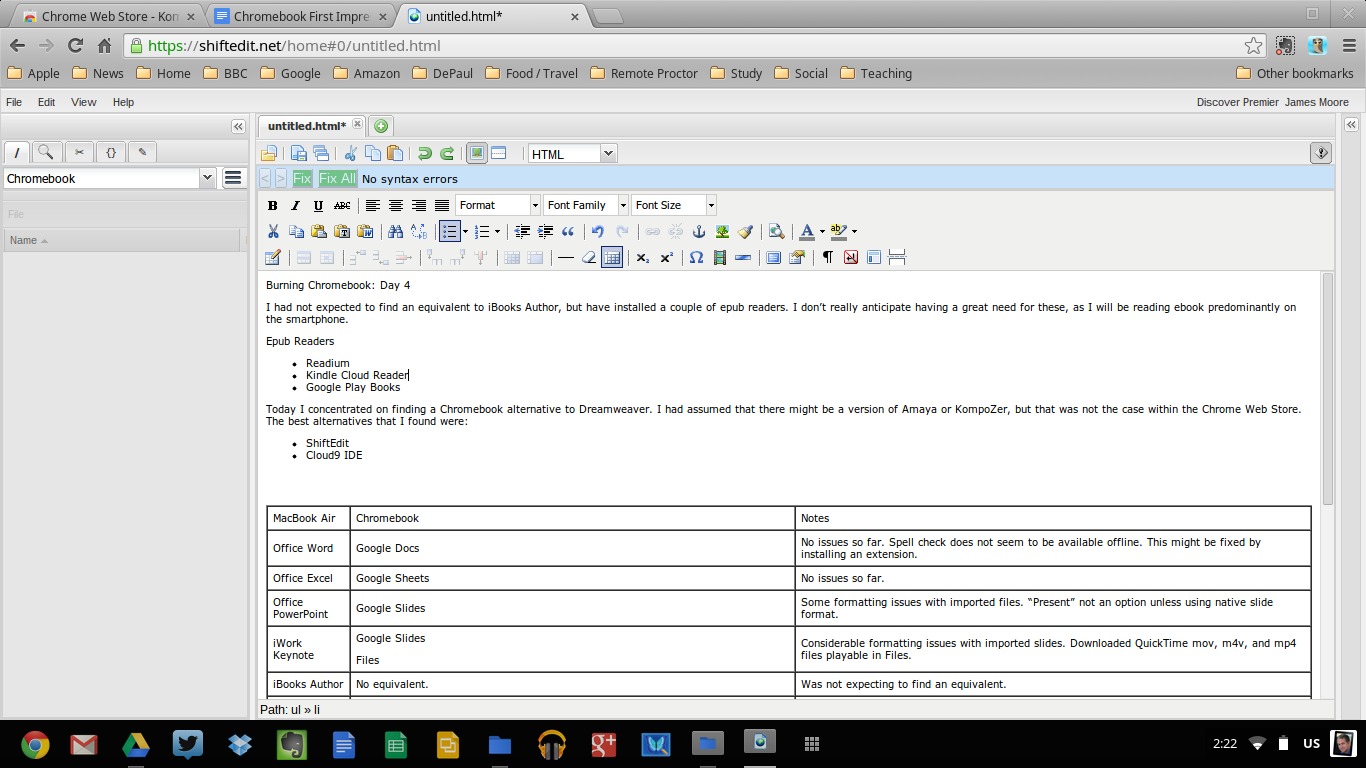
ShiftEdit
ShiftEdit looks like it will work for me. There is a Chromebook app which connects to the web service. The only thing that I did not find during my cursory testing was spell check, so I will have to use Google Docs to work around this.
|
MacBook Air |
Chromebook |
Notes |
|
Office Word |
Google Docs |
No issues so far. Spell check does not seem to be available offline. This might be fixed by installing an extension. |
|
Office Excel |
Google Sheets |
No issues so far. |
|
Office PowerPoint |
Google Slides |
Some formatting issues with imported files. “Present” not an option unless using native slide format. |
|
iWork Keynote |
Google Slides Files |
Considerable formatting issues with imported slides. Downloaded QuickTime mov, m4v, and mp4 files playable in Files. |
|
iBooks Author |
No equivalent. |
Was not expecting to find an equivalent. |
|
Dreamweaver |
ShiftEdit. |
Works well. Did not see spell check as an option. |
|
Photoshop |
pixlr |
Tested with some basic cropping and resizing. Need to test more extensively. |
|
Cyberduck |
Have not found solution yet. I might be able just using Secure Shell Terminal emulator and SSH client. |
Have not tested. |
|
Safari |
Chrome |
No issues so far. |
|
|
TweetDeck |
No issues so far. |
|
|
Gmail and Webmail |
No issues with Gmail so far. Have to configure webmail. |
|
Screenflow |
|
Have not tested. |
|
iTunes |
Google Play Music |
Working well. MUsic Manager has uploaded the majority of my library. |
|
Evernote |
Evernote Web |
No issues so far. |
|
Dropbox |
Dropbox |
No issues so far. |