All posts by James Moore
Homeward Bound

Burning Chromebook: Day 5
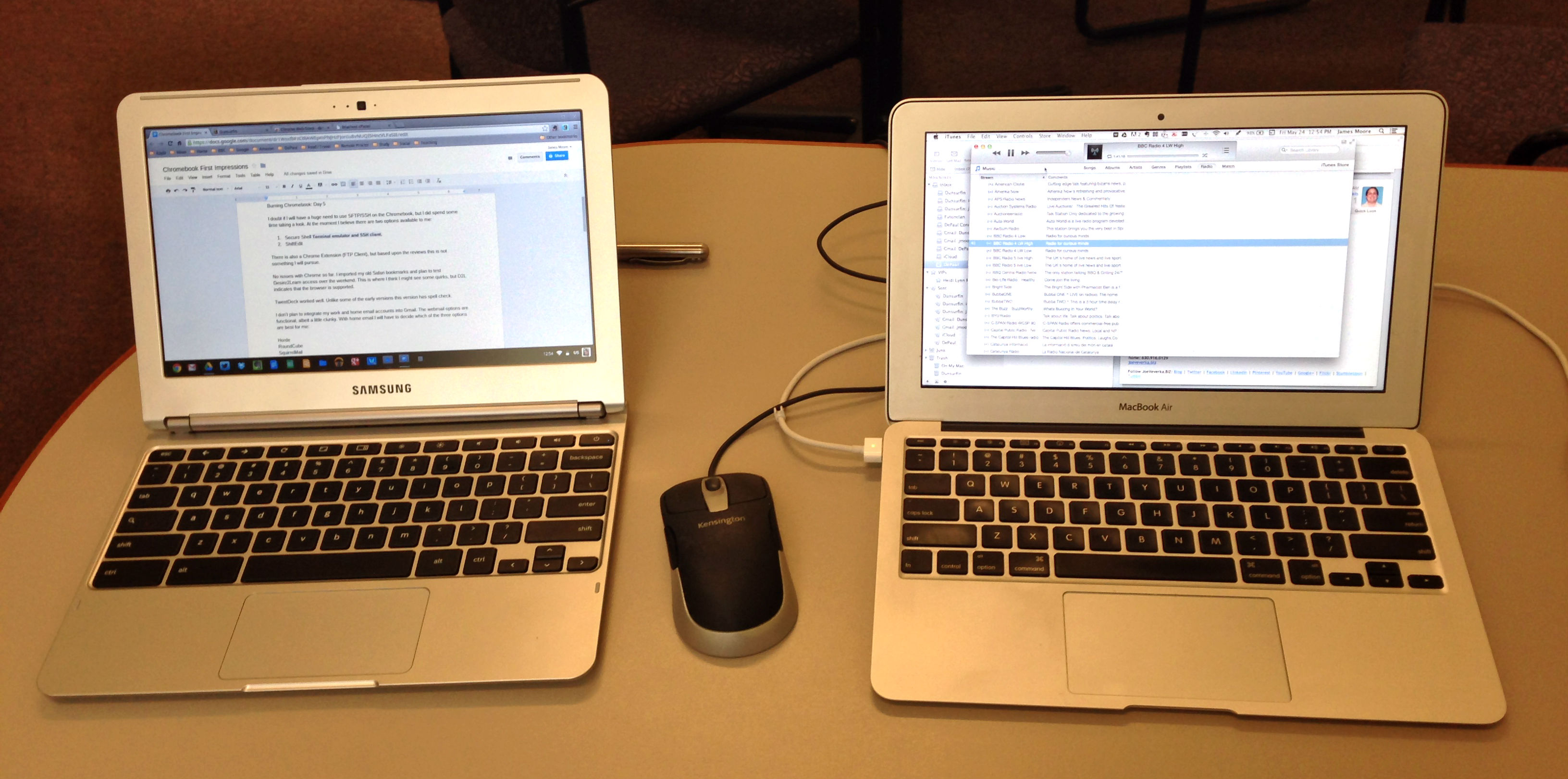
Chromebook and MacBook Air
I doubt if I will have a huge need to use SFTP/SSH on the Chromebook, but I did spend some time taking a look. At the moment I believe there are two options available to me:
There is also a Chrome Extension (FTP Client), but based upon the reviews this is not something I will pursue.
No issues with Chrome so far. I imported my old Safari bookmarks and plan to test Desire2Learn access over the weekend. This is where I think I might see some quirks, but D2L indicates that the browser is supported.
TweetDeck worked well. Unlike some of the early versions this version has spell check.
I don’t plan to integrate my work and home email accounts into Gmail. The webmail options are functional, albeit a little clunky. With home email I will have to decide which of the three options are best for me:
|
MacBook Air |
Chromebook |
Notes |
|
No issues so far. Spell check does not seem to be available offline. This might be fixed by installing an extension. |
||
|
No issues so far. |
||
|
Some formatting issues with imported files. “Present” not an option unless using native slide format. |
||
|
Files |
Considerable formatting issues with imported slides. Downloaded QuickTime mov, m4v, and mp4 files playable in Files. |
|
|
No equivalent. |
Was not expecting to find an equivalent. |
|
|
Works well. Did not see spell check as an option. |
||
|
Tested with some basic cropping and resizing. Need to test more extensively. |
||
|
No issues so far. |
||
|
No issues so far. |
||
|
No issues so far. |
||
|
|
Gmail and Webmail |
No issues with Gmail so far. Have to configure webmail. |
|
Have not tested. |
|
|
Google Play Music |
Working well. Music Manager has uploaded the majority of my library. |
|
|
Evernote Web |
No issues so far. |
|
|
Dropbox |
No issues so far. |
Kimball Hall

Burning Chromebook: Day 4
I had not expected to find an equivalent to iBooks Author, but have installed a couple of epub readers. I don’t really anticipate having a great need for these, as I will be reading ebook predominantly on the smartphone.
Epub Readers
Today I concentrated on finding a Chromebook alternative to Dreamweaver. I had assumed that there might be a version of Amaya or KompoZer, but that was not the case within the Chrome Web Store. The best alternatives that I found were:
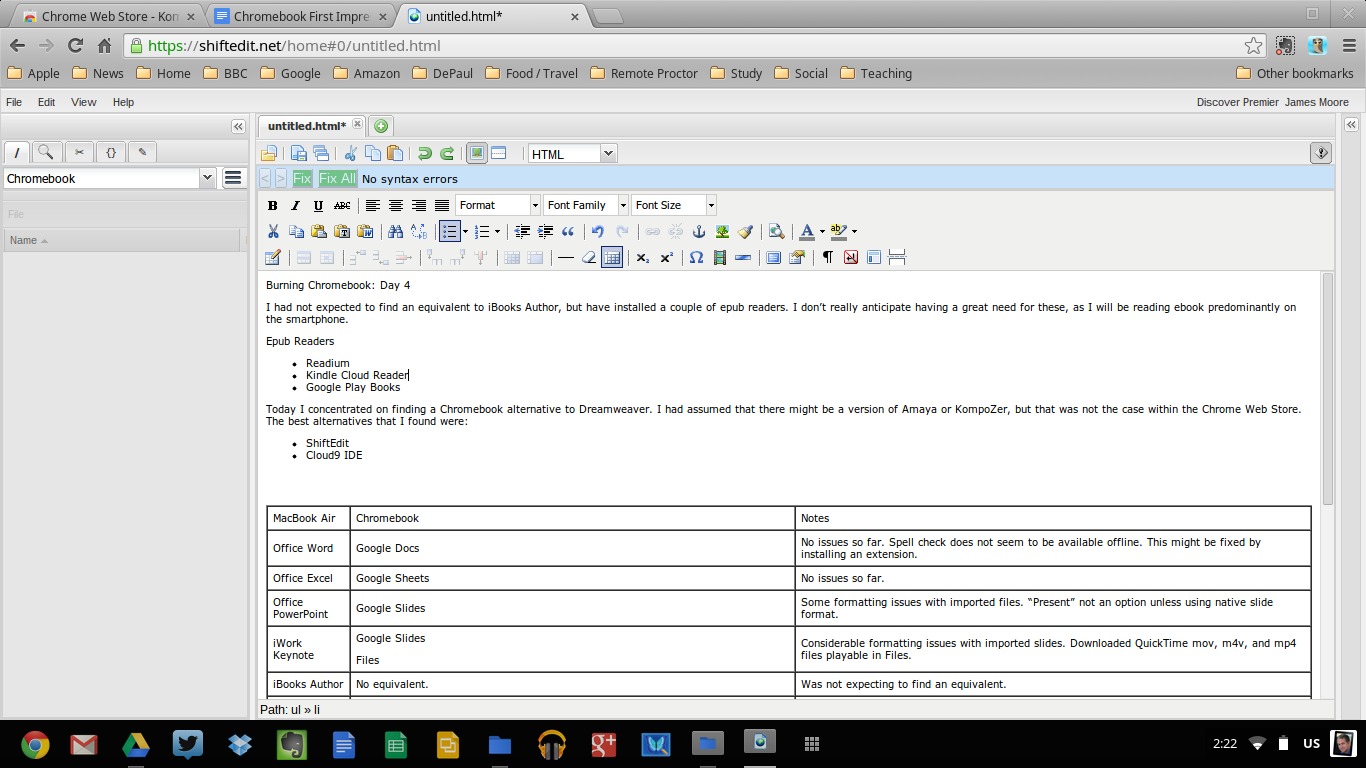
ShiftEdit
ShiftEdit looks like it will work for me. There is a Chromebook app which connects to the web service. The only thing that I did not find during my cursory testing was spell check, so I will have to use Google Docs to work around this.
|
MacBook Air |
Chromebook |
Notes |
|
Office Word |
Google Docs |
No issues so far. Spell check does not seem to be available offline. This might be fixed by installing an extension. |
|
Office Excel |
Google Sheets |
No issues so far. |
|
Office PowerPoint |
Google Slides |
Some formatting issues with imported files. “Present” not an option unless using native slide format. |
|
iWork Keynote |
Google Slides Files |
Considerable formatting issues with imported slides. Downloaded QuickTime mov, m4v, and mp4 files playable in Files. |
|
iBooks Author |
No equivalent. |
Was not expecting to find an equivalent. |
|
Dreamweaver |
ShiftEdit. |
Works well. Did not see spell check as an option. |
|
Photoshop |
pixlr |
Tested with some basic cropping and resizing. Need to test more extensively. |
|
Cyberduck |
Have not found solution yet. I might be able just using Secure Shell Terminal emulator and SSH client. |
Have not tested. |
|
Safari |
Chrome |
No issues so far. |
|
|
TweetDeck |
No issues so far. |
|
|
Gmail and Webmail |
No issues with Gmail so far. Have to configure webmail. |
|
Screenflow |
|
Have not tested. |
|
iTunes |
Google Play Music |
Working well. MUsic Manager has uploaded the majority of my library. |
|
Evernote |
Evernote Web |
No issues so far. |
|
Dropbox |
Dropbox |
No issues so far. |
Burning Chromebook: Day 3
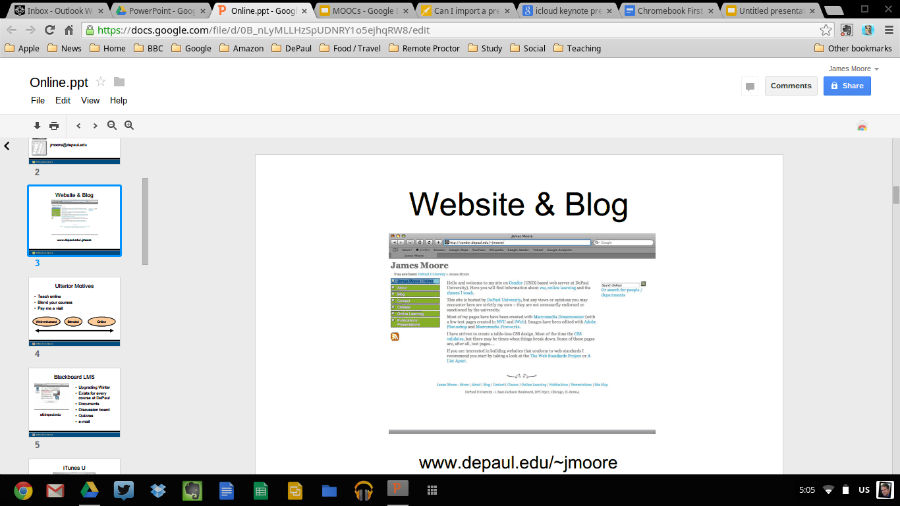
Native PowerPoint files don’t “Present”
Day 3 of testing moved onto using Google Slides. I was able to open up existing PowerPoint presentations, and was impressed that Chrome discreetly placed a link to other apps that would interact with the file. However, Google Slides did not allow me to present the slideshow (although it would for presentations created in Google Slides). The way round this was to import the existing PowerPoint presentation into a new Google Slide file. Importing created some formatting issues which were not there when I opened up the original PowerPoint file, so in future I would have to factor in time to make minor adjustments.
Imported PowerPoint files will “Present”
Unsurprisingly the Chromebook did not like native Keynote files. My options here would be to export from Keynote to PowerPoint and then display using Google Slides (or a cloud service like SlideRocket). Here, the export process created more formatting errors (and the rather nifty transitions and visual effects are lost). Sadly using iWork.com to present is no longer an option, with the service being shut down in 2012, but if I wanted to preserve all the features of the original Keynote file then playing an exported QuickTime file might be an aceptable workaround (providing I did not need to see presenter notes).
|
MacBook Air |
Chromebook |
Notes |
|
Office Word |
Google Docs |
No issues so far. Spell check does not seem to be available offline. This might be fixed by installing an extension. |
|
Office Excel |
Google Sheets |
No issues so far. |
|
Office PowerPoint |
Google Slides |
Some formatting issues with imported files. “Present” not an option unless using native slide format. |
|
iWork Keynote |
Google Slides Files |
Considerable formatting issues with imported slides. Downloaded QuickTime mov, m4v, and mp4 files playable in Files. |
|
iBooks Author |
No equivalent. |
Was not expecting to find an equivalent. |
|
Dreamweaver |
ShiftEdit (Cloud9 IDE might be an option too) |
Have not tested. |
|
Photoshop |
pixlr |
Tested with some basic cropping and resizing. Need to test more extensively. |
|
Cyberduck |
Have not found solution yet. I might be able just using Secure Shell Terminal emulator and SSH client. |
Have not tested. |
|
Safari |
Chrome |
No issues so far. |
|
|
TweetDeck |
No issues so far. |
|
|
Gmail and Webmail |
No issues with Gmail so far. Have to configure webmail. |
|
Screenflow |
|
Have not tested. |
|
iTunes |
Google Play Music |
Working well. MUsic Manager has uploaded the majority of my library. |
|
Evernote |
Evernote Web |
No issues so far. |
|
Dropbox |
Dropbox |
No issues so far. |
Sir Georg Solti

Flamingo's Edge

Burning Chromebook: Day 2
Day 2 of the my adhoc testing of the Chromebook. I still like the keyboard, but the clicking on the trackpad feels uncomfortable – whilst at a desk using a regular mouse is a much more pleasant experience. Coming from the MacBook Air I have tendency to click on “Alt” rather than “Ctrl” when I copy and paste. These though are minor issues.
What I wanted to do was to find ways that I could match 80% of what I do on the MacBook Air. Here is what I have found so far:
MacBook Air |
Chromebook |
Notes |
|
Office Word |
Google Docs |
No issues so far. Spell check does not seem to be available offline. This might be fixed by installing an extension. |
|
Office Excel |
Google Sheets |
No issues so far. |
|
Office PowerPoint |
Google Slides |
Have not tested. |
|
iWork Keynote |
Google Slides |
Have not tested. |
|
iBooks Author |
No equivalent. |
Was not expecting to find an equivalent. |
|
Dreamweaver |
ShiftEdit (Cloud9 IDE might be an option too) |
Have not tested. |
|
Photoshop |
pixlr |
Tested with some basic cropping and resizing. Need to test more extensively. |
|
Cyberduck |
Have not found solution yet. I might be able just using Secure Shell Terminal emulator and SSH client. |
Have not tested. |
|
Safari |
Chrome |
No issues so far. |
|
|
TweetDeck |
No issues so far. |
|
|
Gmail and Webmail |
No issues with Gmail so far. Have to configure webmail. |
|
Screenflow |
|
Have not tested. |
|
iTunes |
Google Play Music |
Working well. Music Manager has uploaded the majority of my library. |
|
Evernote |
Evernote Web |
No issues so far. |
|
Dropbox |
Dropbox |
No issues so far. |
Chicago Spring